


Microsoft used to maintain a Desktop Gadget Gallery that showcased quite a few gadgets for users interested in using them. However, in preparation for the upcoming Windows 8 launch, Microsoft decided to (as some put it) "stop pretending to support gadgets". For the company, supporting them is no longer a good idea. Windows 8 and the Metro interface is supposed to bring to the Windows desktop more and better small applications and Microsoft wants everybody to focus on them and forget about gadgets. But what about existing Windows 7 and Windows Vista users, where do they now find great gadgets to use?
The Remaining Sources of Desktop Gadgets
A first source is a left-overs gallery offered by Microsoft which will never feature any new gadgets.
Second, it is Deviant Art's gallery of so called Sidebar Gadgets, which uses the terminology from Windows Vista even though all gadgets also work in Windows 7.
Third, is this article featuring some of the best gadgets you can still find on the web.
The Desktop Gadgets Recommended by 7 Tutorials
Here, in no particular order, is a list of seven gadgets that I think you will like:
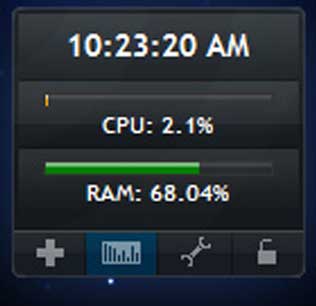
- System Monitor - Windows 7 includes a gadget called CPU Meter. It's not fancy or flashy, but it gives you useful information about what your system is doing. If you want a gadget that gives you information in a more readable format than the two small dials in CPU Meter, check out System Monitor. It's also small and simple, but I found it much easier to read. You can find it on Build a Gadget.
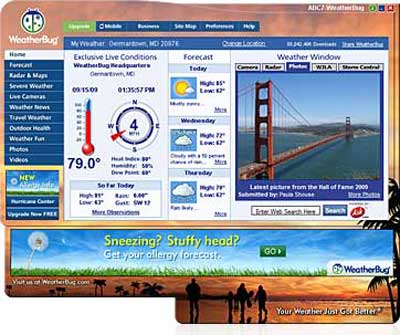
Desktop Gadgets - WeatherBug - I've often heard it said that we don't really have weather in Southern California, and compared to some other places I have lived, we really don't. But that doesn't mean I'm not interested in seeing weather forecasts. I have been using WeatherBug Elite on my iPod Touch for quite a while, and I was delighted to see that they have a WeatherBug Gadget as well. It's a full-featured app that will tell you just about anything you need to know about the weather in your area. Click here to get it.
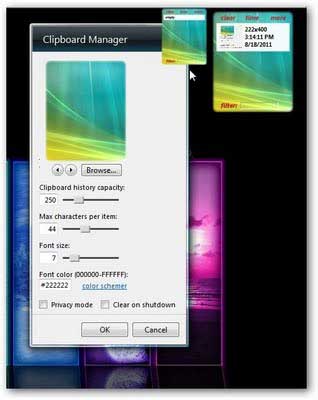
Desktop Gadgets - Clipboard manager - Do you have text that you type a lot? Wouldn't it be nice if you could store all those words and phrases in one place and just click to insert them anywhere you want? There's a gadget for that. Clipboard manager lets you set the amount of space you want to use for stored clipboard items, and lets you recall and insert them instantly. Go to Tom's Guide to download it.
I sure wish I'd had something like this when I was typing my thesis in college. Ever try to type the word "anthropologist" repeatedly? Of course, when I was in college a computer ate punch cards and filled up a whole room, so this would have been something straight out of science fiction.
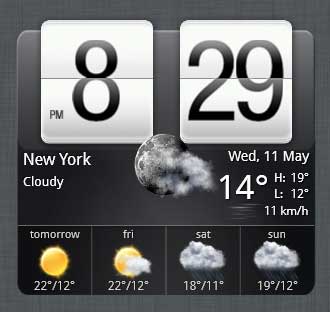
Desktop Gadgets - HTC Home - While Windows 7 comes with a clock gadget, that clock is pretty basic. If you'd like a better, more configurable clock that also comes with a weather forecast, check out HTC Home. There are several different clock styles, and you can have a clock with or without the weather, and with or without a second time zone. You can get it on HTC Home. The weather gadget isn't as full featured as WeatherBug, but not everyone wants loads and loads of weather reports.
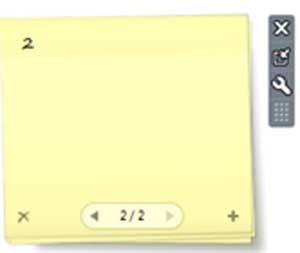
Desktop Gadgets - Notes - I personally could not live without Post-It brand notes. I keep a pad of small squares on my desk and I use them to write notes and reminders nearly every day. Windows 7 has a built-in Sticky notes application, which, while not technically a gadget, has turned out to be something I use constantly. No need to dig around on the physical desk top to find the note pad--just click and write a note on the computer desktop and it's right there in front of me. However, a lot of people have commented that the Sticky Notes that comes with Windows 7 is not as good as the Notes gadget that came with Windows Vista. I never used Windows Vista, but after looking Notes over, I'd have to agree—the Windows Vista desktop gadget is more versatile. You can find instructions for downloading and installing on IThinkDifferent.
Desktop Gadgets - Mail preview - Many of us have multiple email accounts, and those who don't use a desktop e-mail client like Thunderbird, Windows Live Mail or Eudora have to go check each inbox to see what's there. The Mail Preview Gadget lets you set up as many email accounts as you like, and will show you a notification if new mail has come in on any of them. It's designed to look like the Windows Phone interface, which makes it very compact and easily readable even on a small screen. You can read about it and download it on Wp-Corporation.

Desktop Gadgets - Xirrus WiFi Inspector - This is a gadget which we recommended in the past. Back then it was called Xirrus WiFi Monitor. I definitely agree with Bogdan that this is one of the best gadgets to add to a laptop. Even on my tiny netbook screen it's clear and readable and gives me a wealth of useful information. It was previously listed in Microsoft's gadget gallery, but that no longer exists, so the best place to get it is from the Xirrus web site. It's now called Xirrus Wi-Fi Inspector (but alas, it doesn't play the Inspector Gadget theme song) and you can find it here, about halfway down the page. Be sure you click on the link that says "Download Gadget v1.2". There is a separate link for the documentation; be sure you read that. The screenshot is of the full sized gadget; there's a smaller one that has a graphic "radar" or "sonar" display, which you can see in the screenshot from my netbook at the end of the article.
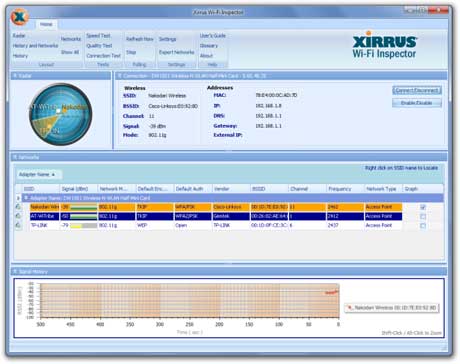
Desktop Gadgets
From Plain to Fancy on my Desktop
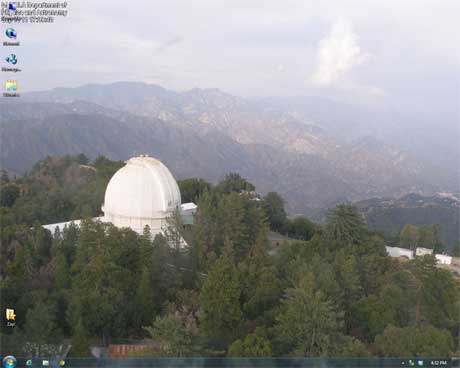
When I started writing this article, I had no gadgets on my desktop at all, except for the occasional sticky note. I also have only the absolute minimum number of icons, because I like a nice clean unobstructed desktop. Here's what it looked like (a photo of the Mt. Wilson Observatory north of Los Angeles from the web cam on top of Mt. Wilson).
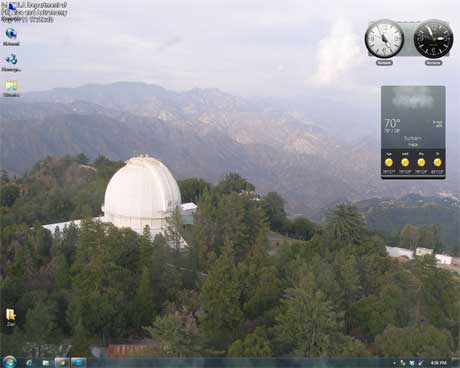
I still don't have a lot of icons, but now on my desktop computer I have the very useful HTC Home showing me my hometown weather, and the time here and in Romania so I can tell whether the Romanian team members are likely to be awake or asleep. The time zones are identified by cities, and since there was no time selection for Bucharest, I had to pick a Russian city in the same time zone and use the gadget's options to rename it Romania. Very easy to do.
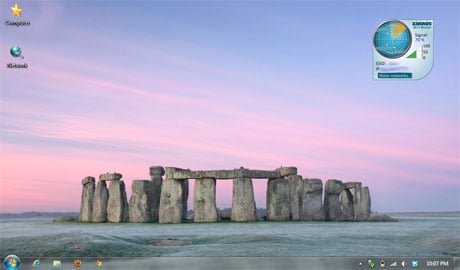
And I've got Xirrus WiFi Monitor installed on my netbook. The background of the Xirrus meter can be changed to any of several colors; I chose blue for better visibility. As you can see, I don't have many icons on this desktop either, and the photo is of Stonehenge in winter.
What's Your Favorite Desktop Gadget?
Let me just note that our Editor in Chief, Ciprian Rusen, is a very brave man. He assigned someone who had no desktop gadgets whatsoever (me) to research desktop gadgets and write an article about some of the best ones available. Let's just say that since I had no experience with gadgets, I also had no preconceived notions of what a great gadget should be, so the research for this article was not only educational but entertaining. I hope you enjoy the end result as much as I did working on it.
Before you go, please share: do you have a favorite Windows 7 desktop gadget that you'd like to recommend? Please leave a comment and let us know where to find it.