


Some of our readers asked us to recommend the best programs for managing the Windows startup. We listened to their request, and we did some thorough testing on the subject. Now we are ready to share our recommendations for the best startup managers we have found on the internet. If you have asked yourself: "Which startup manager should I use?", don't hesitate to read this analysis. By the end of it, you'll know which fits you best:
The startup managers that we tested
The programs we tested are the following: Autoruns for Windows, Starter, Startup Delayer, Task Manager, AutoRun Organizer and BootRacer. Because some of you sent us messages about a few others, we also intended to test Soluto, WhatInMyStartup, and WinPatrol. However, Soluto and WinPatrol are no longer maintained by their developers, and their old versions, as well as the latest version of WhatInMyStartup, don't offer support for Windows 10. Because we ran all the tests on a computer with Windows 10, we decided to leave these three managers out.
We would also like to point out the fact that we have chosen only free programs which focus on managing startup items. We did not test programs which have this feature included as secondary feature, and we didn't test any commercial programs.
The testing procedure
We installed a security suite and also a couple of standard programs used by many people all around the world. Unless they came in a portable version, we also installed the startup managers themselves. We ended up with the following programs added to the Windows startup: Dropbox, IDT PC Audio, Java Update Scheduler, Microsoft OneDrive, Snagit, Steam Client Bootstrapper, Synaptics TouchPad 64-bit Enhancements, and Windows Defender notification icon. We also had a couple of additional non-Microsoft Windows services added at startup: Dropbox, Kaspersky, Foxit, Macrium Reflect, Skype, Steam, Synaptics, TeamViewer, and Snagit. Then, we created a complete system backup image and tested each startup manager. We restored the test system backup image each time before testing a new startup manager and recording its results. Let's briefly see what each of the startup managers that we tested has to offer:
Autoruns for Windows
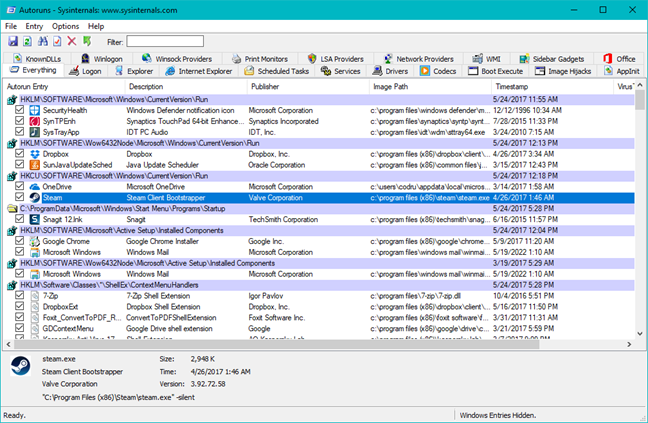
Autoruns for Windows is a program that really stands out. If you want to know absolutely EVERYTHING that's running at the Windows startup, it will show you. It has tabs for each type of startup items: logon programs, Windows Explorer startup items, Internet Explorer startup items, Scheduled Tasks, Services, Drivers, Codecs, Desktop Gadgets... and the list continues. The information it shows is complete and sometimes overwhelming. Other than that, its operation is basic: you can enable, disable or delete startup items. You can also open their Windows properties and search for information on the web about them. Another cool feature is that it allows to save and compare snapshots of your system at different points in time so that you can see what's different.
Starter
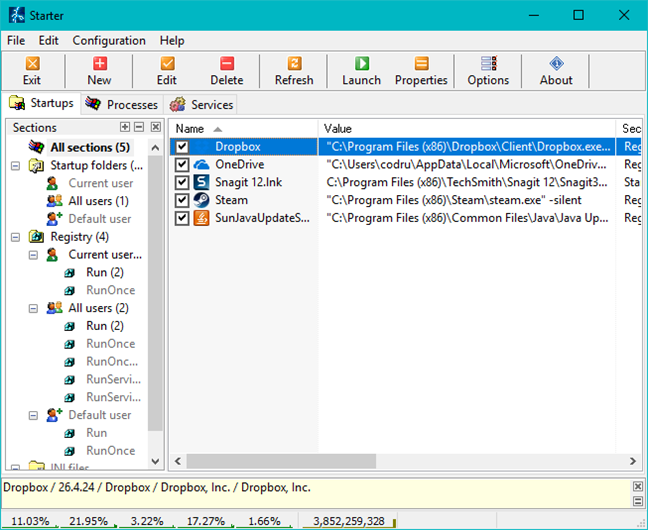
Starter is a very simple product which shows your startup programs and not your startup services. At least not in a way other products do. It chooses to show all Windows services and doesn't help you filter which services are non-Microsoft or which added themselves at startup later on. What makes things worse is that, unlike the Services tool from Windows, it doesn't help you set services as having a delayed and automatic startup. Therefore it is best not to use it to manage Windows services. Also, it was the least efficient product in our testing and the only one that didn't manage to detect all the startup programs.
Startup Delayer
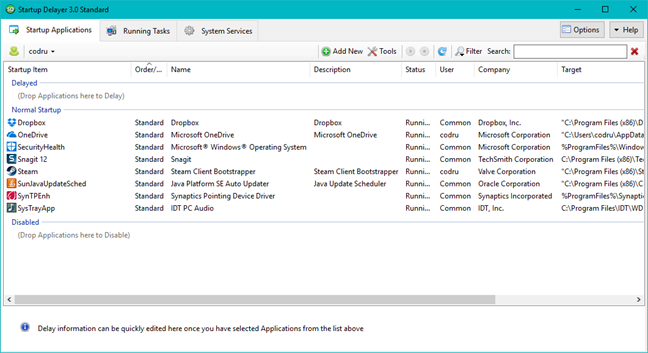
Startup Delayer, as the name implies, is focused on giving you options to delay the startup of programs. You can choose between several presets on how you want the tool to delay programs. Also, you can set some interesting wait rules between applications, to make sure that an application is completely loaded before others start loading. It can also schedule programs to run at startup only on specific days, which can be useful on systems with a more complex setup. The program also shows a list of running processes and services. However, it doesn't offer much regarding options for managing services. You can only start, stop, pause or restart services. You cannot manage the way they start or quickly filter them and show only non-Microsoft services, for example.
Task Manager
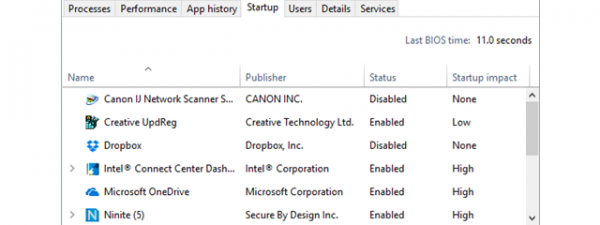
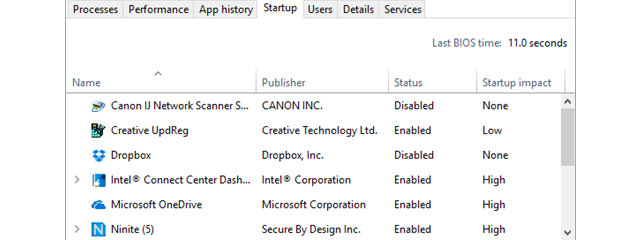
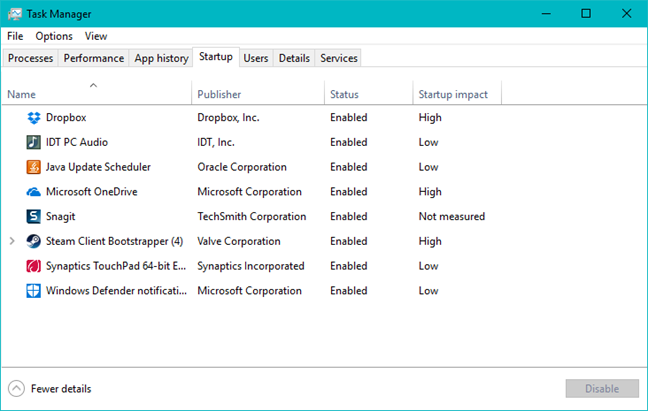
We presented this Windows tool in detail in this article: Evaluate and manage startup applications in Windows, using the Task Manager. Its operation is pretty basic, but it helps you get the job done. It's worth mentioning that besides letting you disable apps that you don't want to run at startup, the Task Manager also measures their "Startup impact." For each app, you can see whether it has a High, Medium, or Low impact, and this information can help you make the right decision when considering which apps to disable.
However, other than that and the fact that this tool is built into every modern Windows operating system, there's not much else to do or see.
AutoRun Organizer
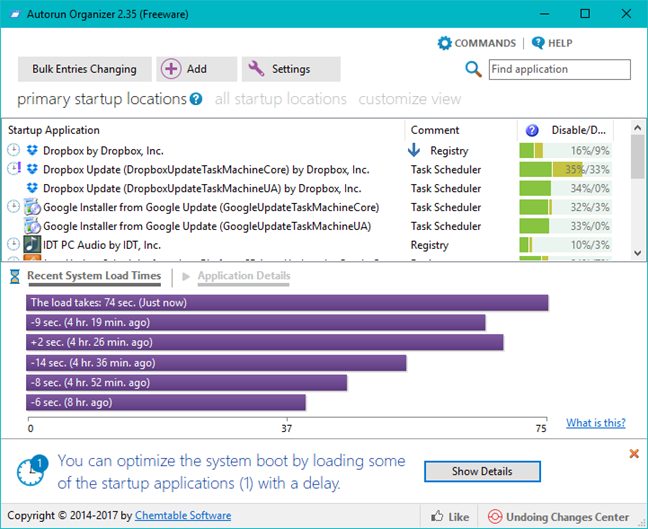
AutoRun Organizer is one of the best startup managers that we've tested. It lets you manage all the apps and services that start automatically with Windows. And by that, we mean that it allows you to disable, delete and also delay startup apps. By default, it shows you all the apps that run at startup, but you can customize its view to display only the items that interest you such as only the startup programs, drivers or services. One other interesting and useful feature is the fact that it also measures the recent loading times of each startup item so that you can have a better idea of how much each item delays your computer's boot time. Finally, a detail which many users will appreciate is the fact that for each startup app you also get a percentage of how many users chose to disable or delay that particular app. Overall, AutoRun Organizer was the best startup manager we've tested.
BootRacer
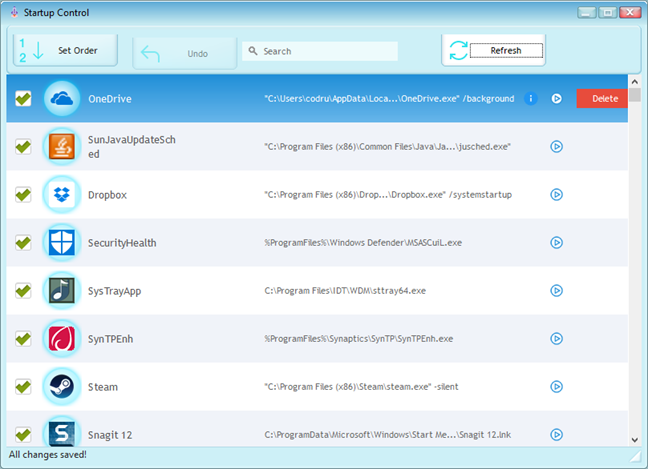
BootRacer is a rather simple tool that is very easy to use. It monitors your Windows computer's boot times and also lets you manage the startup apps. Although we like it very much when it comes to its boot time measuring feature, the startup managing part is not the best. Don't get us wrong, as it does its job as it says, but unfortunately, the Startup Control is rather basic: you can only disable, delete and change the loading order of the startup apps. You can't delay them, you can't see other people's opinions on them, and you can't see or manage the startup services. Other than that, BootRacer is a lightweight application that's very useful if all you want is to know how much time it takes for your computer to boot.
Important observations
No application was able to remove from startup the security suite we installed (Kaspersky Internet Security 2017) which is something normal. Security suites are supposed to be next to impossible to disable from running at startup, unless you uninstall them. BootRacer is the only program that has a complete "undo/revert" option for all the decisions that you make. The other programs offer you the chance to re-enable disabled startup items. However, if you choose to delete an entry, it is lost forever, and your decision cannot be reversed.
One thing that we noticed is that some programs install both services and program entries which are run at startup. If a startup manager is not able to detect both, then it will not be able to actually remove that program from startup.
Regarding delaying programs, not all of them can be delayed even though you set a delay time in a tool which supports this feature. Don't expect this to work for every program out there. Generally, this doesn't work for more complex programs which have both startup items and services.
Test results
We summarized all our test results in the table below:
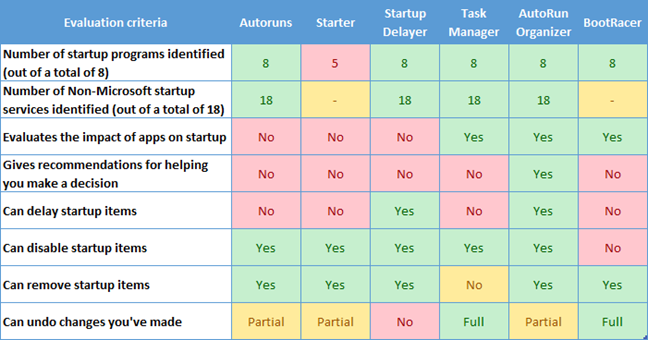
Note that for Task Manager we considered it to offer complete undo capability because it doesn't allow you to remove startup items completely, only disable or enable them. Therefore you can always undo your settings.
The best startup managers?
Making a one-size-fits-all recommendation is impossible for this niche of programs. They are very diverse in the way they manage startup items, the features they offer and the needs they meet. Therefore, we would like to split our recommendation based on the needs most people are likely to have:
- Are you a knowledgeable Windows user? Do you want a tool that lets you disable, delay or delete startup items based on loading measurements and other people's opinions on them? - The best startup manager for you is AutoRun Organizer.
- Are you a Windows user with a technical background or inclination? Do you need a complete view of all startup aspects? - Autoruns for Windows is the tool that will likely satisfy all your needs.
- Do you need quick, basic editing of your startup items? - You don't need to download anything. Simply use the Task Manager tool in Windows.
Conclusion
We hope our research satisfies your curiosity and provides the answers you need. It meant quite a bit of work, and it was not easy to make recommendations. Before you go, we're curious to know if your experience matches the results of our tests. Don't hesitate to share which solutions you prefer and why. Also, feel free to share tools to avoid. We're sure there are plenty of them on the internet.